01
Search & one-click import
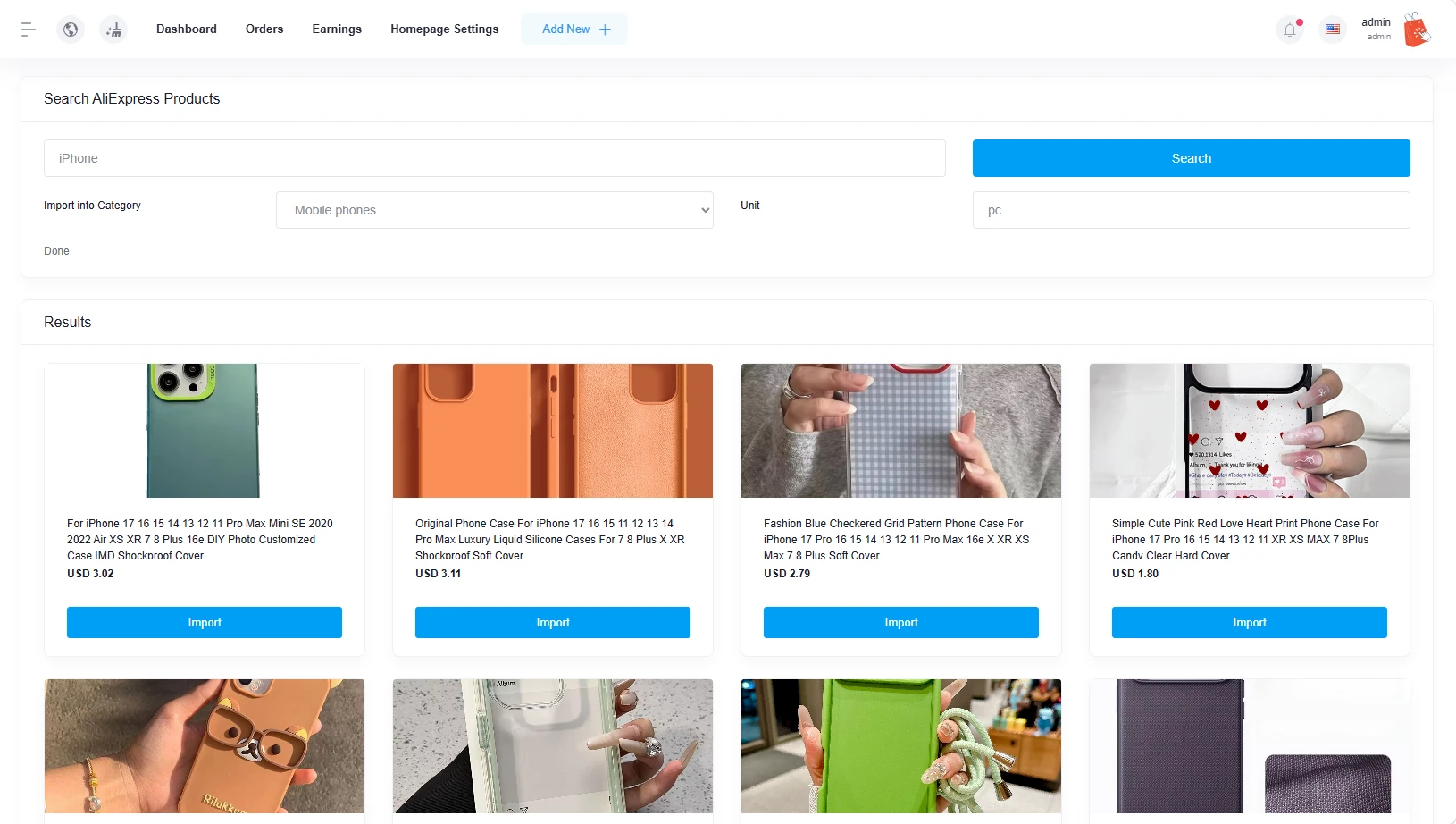
Search AliExpress by keyword right from your admin panel and import any result — name, price, description and photos pulled in automatically.
Search AliExpress's catalog and bring products into your Active eCommerce CMS shop in one click — photos, description and price included. Built for the site admin and every individual seller alike.
One addon, installed once, works across your whole marketplace.
Search AliExpress by keyword right from your admin panel and import any result — name, price, description and photos pulled in automatically.
Photos are downloaded and stored on your own server at import time, not just linked — your listings never break if the source page changes.
The admin and every individual seller connect their own AliExpress account independently. One seller's connection never touches another's.
Every order made from an imported product shows a direct purchase link with the exact quantity needed — no digging through your catalog to fulfill.
Copy the buyer's full shipping address straight to your clipboard from the order screen, ready to paste into AliExpress checkout.
Imported products stay unpublished until you approve them, so you always set your own markup before anything goes live.
No SSH, no command line — everything runs through a browser-based installer and your admin panel.
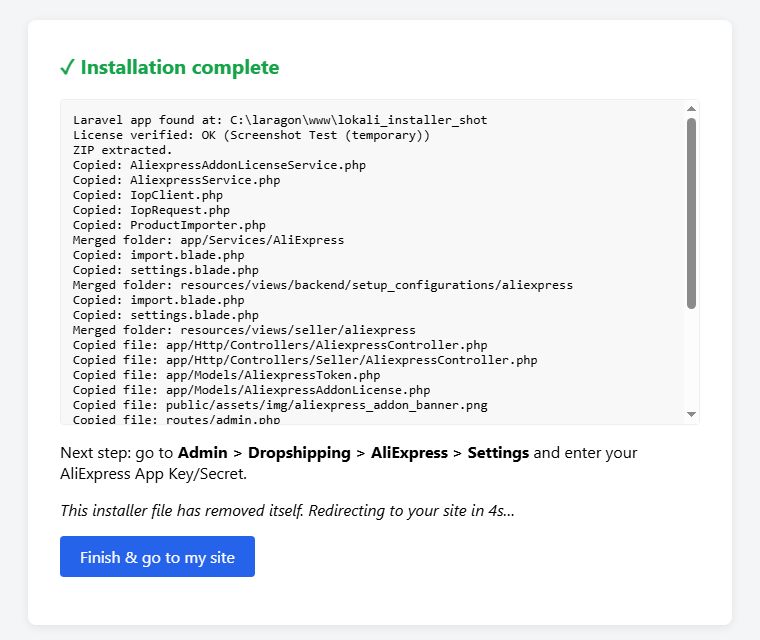
Upload one PHP file and the addon package to your server, open it in your browser, paste your license key and click Install. Files, database and caches are handled for you — the installer even deletes itself when it's done.
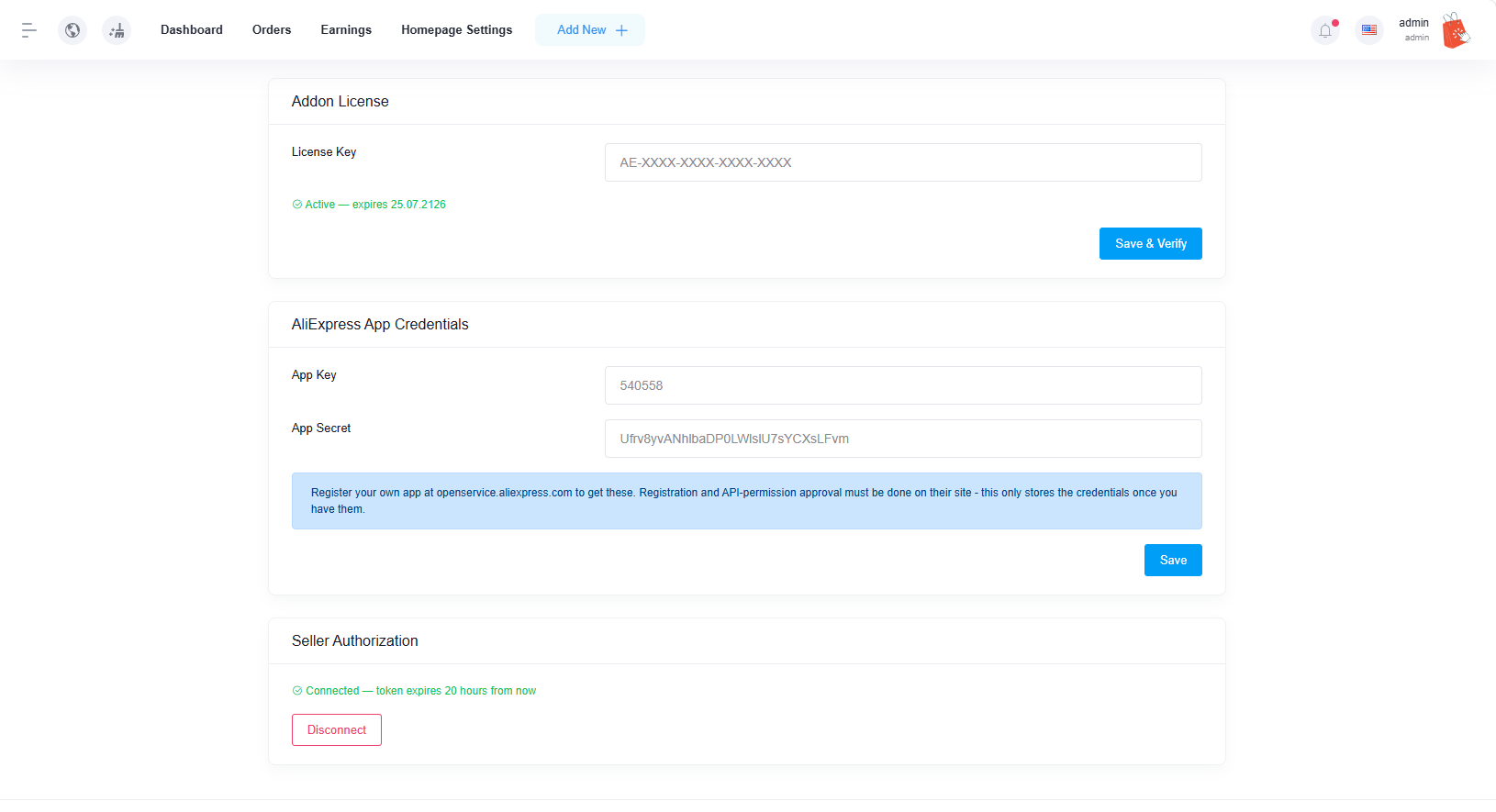
Register a free AliExpress Open Platform app, paste your App Key/Secret into Settings, and authorize with one click. Each seller repeats this with their own account, fully independent.
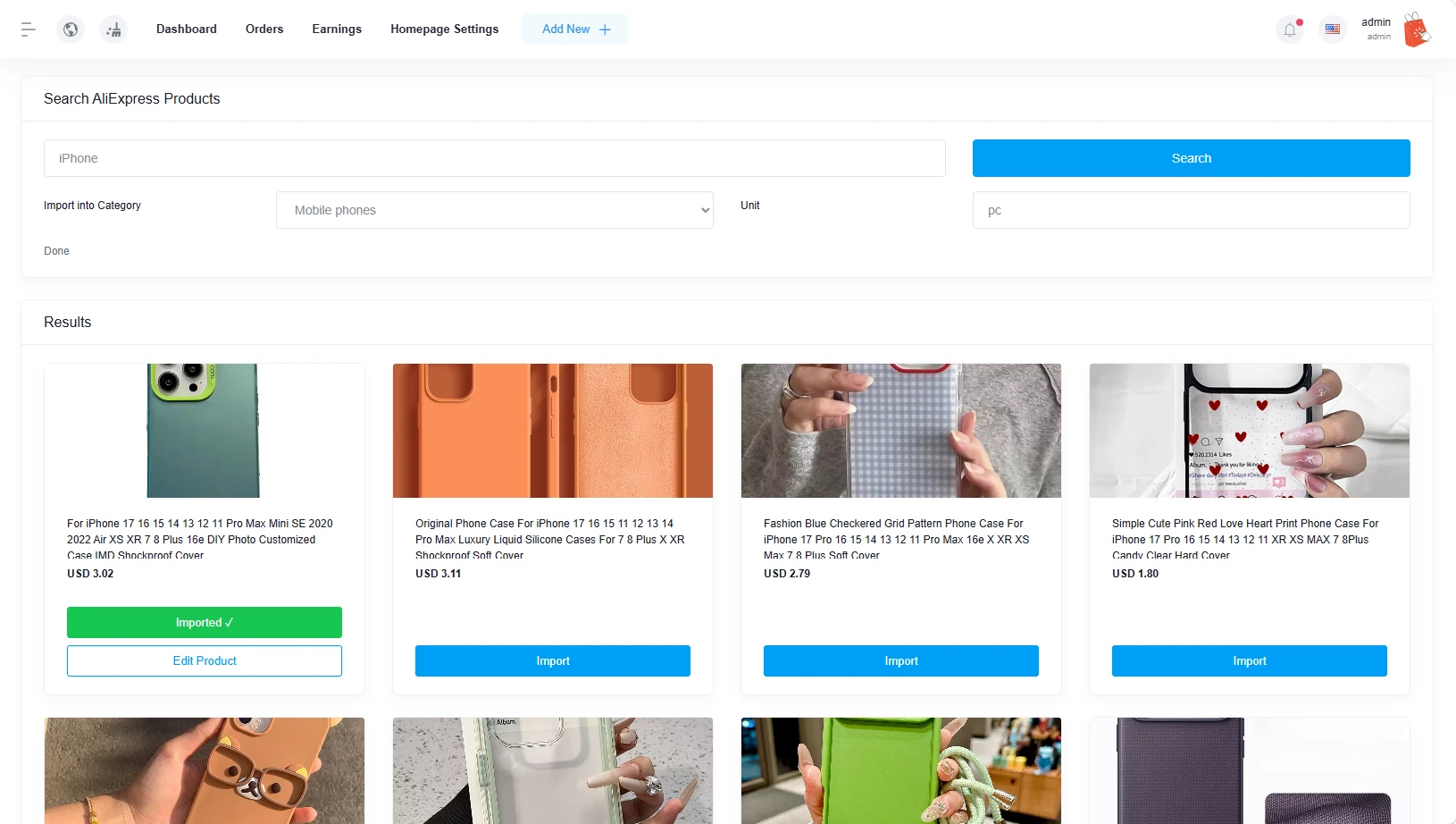
Search AliExpress by keyword, pick a category and unit, and import. Review the product, set your price, publish — it's now a normal product in your store with a working Add to Cart button.
A two-minute walkthrough of install, connect, search, import and fulfillment.
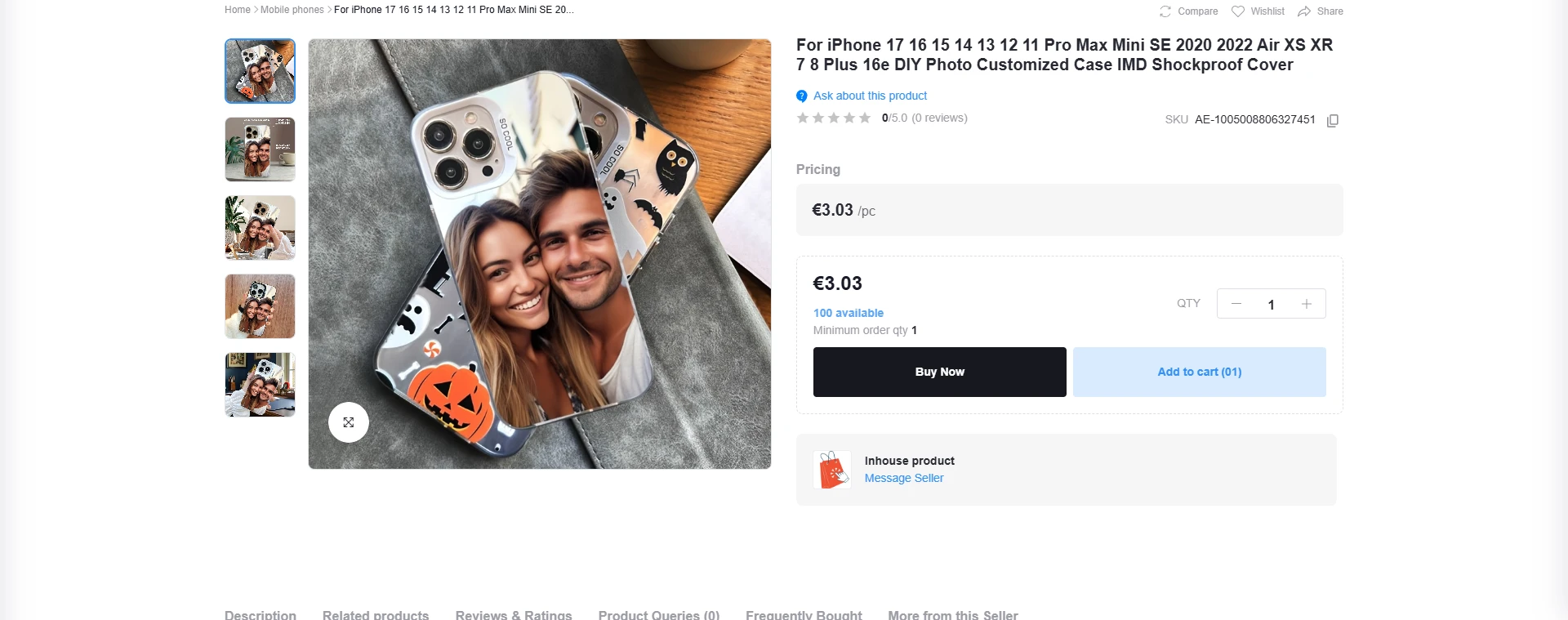
Once you approve an import, it behaves like any other product on your site — full gallery, pricing, stock, Buy Now and Add to Cart. Customers never see where it came from; that link is kept for your own fulfillment reference only.
One license per domain. Includes the installer, updates, and direct support from the developer.